People & payroll. Connected.

Simplify payroll, attendance and employee management in one platform, with biometric machine integration to bring attendance records into your payroll workflow.

Explore annual HRMS pricing

50,000+ employee payroll records managed
THE DETAILS THAT MAKE A DIFFERENCE

Payroll Processing & Salary Configuration

Explore how granular controls and automated rules handle complex attendance, payslips, and loan lifecycles.

560
Illustrative preview
2
DL
HD Notices
Upcoming Birthday: Kamal R & Eric (Oct 30)
|
Absent Today: Ta Ko (Sales Lead), Varun T (On Duty)

Attendance, Leave & Shifts Management

Bring time and leave information into the payroll workflow.

Active Shift Rosters
24 Rosters
↑ 100% Synced
Present Today
142 Employees
↑ 96.4% On-time
Pending Leave Approvals
8 Requests
↑ Avg 2hr TAT

Attendance Operations

Quick access to common roster and permission actions

Leave Policy
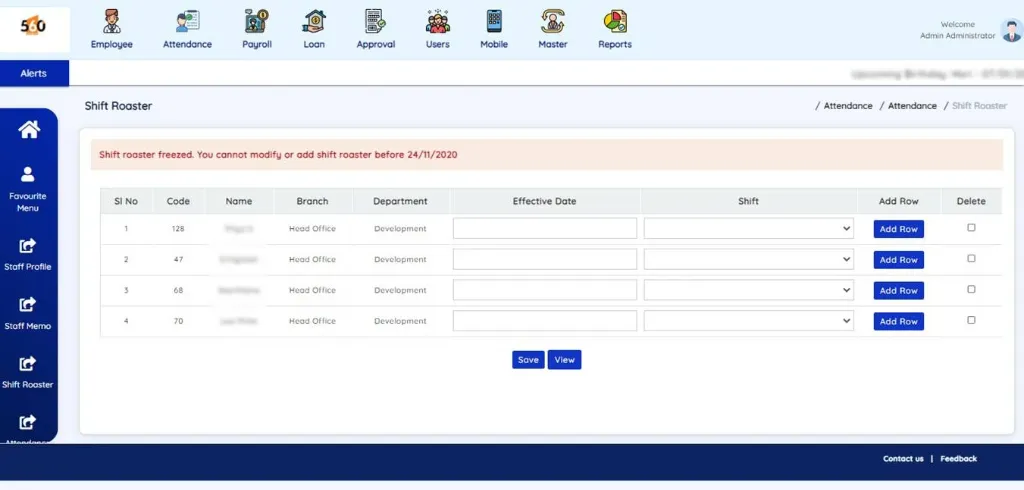
Shift Roster
Biometric Sync
Mobile Punch
Payroll Inputs

Attendance & Leave Modules

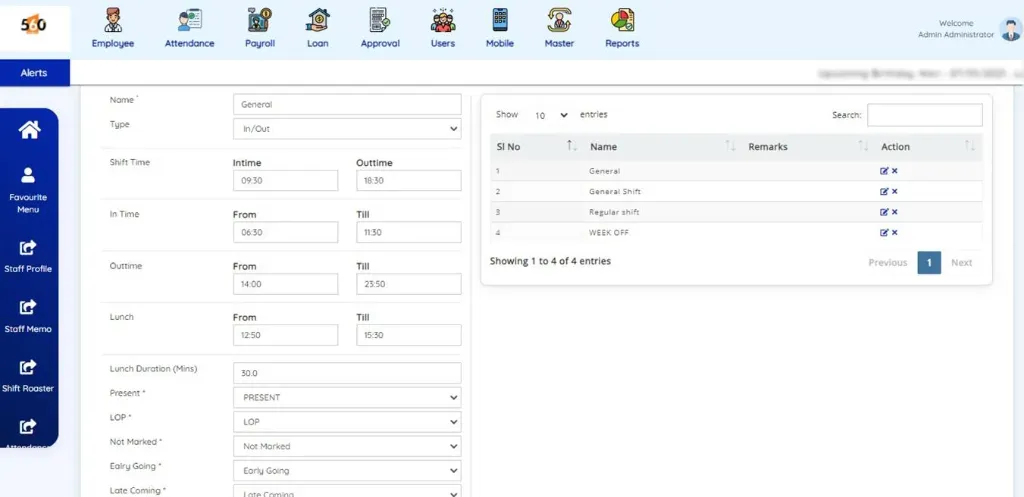
Configurable settings for shift, breaks, and payroll integration

Leave policies

Configure multiple leave types and balances, with requests and status visibility for employees.

Department schedules

Set shift times, lunch and break periods, with holidays configured for each branch.

Attendance capture

Use supported biometric or facial recognition devices, or discuss location-based mobile attendance for your team.

Payroll inputs

Bring attendance, permissions and overtime into salary preparation.

Salary Processing & Configuration

Configure the structure behind every payslip.

Total Monthly Payroll
₹ 18,45,200
↑ 100% Processed
Net Bank Disbursements
₹ 15,20,400
↑ NEFT/RTGS Ready
Statutory Compliance
₹ 3,24,800
↑ PF, ESI, TDS, LWF

Salary Operations

One-click triggers for processing, payslips, and compliance

Pay Cycles
Earnings
Bonus Calc
Payslips
Statutory

Core Processing Modules

Granular rules powering your automated payroll pipeline

Pay cycles

Process daily, weekly or monthly salaries with configurable salary days.

Earnings & deductions

Set up salary components and deductions around your organisation’s requirements.

Bonus & increments

Manage bonus and increment calculations and related reporting.

Payroll outputs

Prepare custom payslip formats, email payslips and generate bank transfer statements.

Statutory components

Discuss PF, ESI, TDS and LWF configuration and the reporting required for your payroll setup.

Loan Payment Management

Track employee EMI deductions, record manual repayments, and manage loan settlements

Total Outstanding Amount
₹ 12,50,000
↑ 12% from last month
Outstanding EMI
₹ 3,50,000
↑ 8% from last month
EMI Due
₹ 4,85,000
↑ 5% from last month

Loan Operations

Quick access to common loan actions

Loan
Monthly Advance
Manual Repayment
Salary Deduction
Salary Allowance

Loan Reports & Policies

View and download detailed reports for analysis and tracking

Multiple loans

Maintain more than one employee loan, with a repayment schedule for each.

Scheduled deductions

Apply repayments, monthly advances and other fixed deductions through payroll.

Flexible adjustments

Pause a deduction or change a schedule for a selected month when required.

Employee requests

Support loan requests through employee-facing workflows.

Employee Self-Service (ESS) Portal

Give employees a clearer view of their information.

Active Portal Adoption
98.6% Active
↑ Web & Mobile App
Payslip Downloads
1,280 Instant
↑ Zero HR Queries
Workflow Approvals
3x Faster
↑ Push Notifications

Self-Service Actions

Employee-facing portals for leave, requests, and tax declarations

Personal Info
Policies
Leave Balances
Duty Plan
Loan Request

Portal Capabilities

Digital self-service modules built for modern workforces

Personal information

View and update personal details through the employee portal.

Policies & holidays

Access company policies, holiday information and announcements.

Leave visibility

Check balances, submit leave requests and follow their status.

Everyday requests

Access supported permission, duty plan, expense, work-done and loan request workflows.

Statistic

This week
Total ₹ 24,50,000
Total Repaid Outstanding
How It Works?
Process Flow
  • 1 Loan
  • 2 Loan Repayment
  • 3 Manual Repayment
  • 4 Advance / Monthly Advance
  • 5 Salary Deduction
  • 6 Salary Allowance
Secure Encrypted Connection
Bsi: 2026.css Powered by 560 Degree Solutions | 560degrees.com
BUILT AROUND YOUR WORKDAY

Every HR essential.
One connected workflow.

From employee records to the final payslip, bring the details together with six practical HRMS modules.

Explore the interactive preview
01

Employee records

A clear starting point for every employee.

Keep profiles, joining details and employee changes organised in one place.

  • Personal & joining information
  • Branch transfers & employee history
Explore employee records
02

Attendance & shifts

Turn working time into useful payroll inputs.

Bring shift schedules, break times and overtime into your everyday HR workflow.

  • Shift timings & branch holidays
  • Attendance, permissions & overtime
Explore attendance
03

Leave management

Less back-and-forth. Clearer leave records.

Manage leave types and balances while giving employees visibility into their requests.

  • Leave policies & balances
  • Employee requests & status
Explore leave management
04

Salary & payroll

Make every payday a connected process.

Bring attendance, earnings and deductions together to prepare employee salaries.

  • Salary structures & pay cycles
  • Bonus, increments & deductions
Explore payroll
05

Loans & advances

Keep repayments connected to salaries.

Maintain employee loans and advances with schedules that feed into payroll deductions.

  • Multiple loans & repayment schedules
  • Monthly deductions & adjustments
Explore loans & advances
06

Reports & payslips

See the detail behind every decision.

Review attendance, employee and salary information, with the outputs your team needs.

  • Salary sheets & employee reports
  • Payslips & bank transfer statements
Explore reports
MORE THAN A STAFF DIRECTORY

Employee Lifecycle Management

Keep employee information connected from application through onboarding, transfers and final settlement.

1

Recruit

Application, registration,
interview and selection

Job Application
✓ Candidate Profile Verified
✓ Assessment Score: 94%
Interview Scheduled Selected
2

OnBoarding

Offer, joining details and
onboarding checklists

Offer Letter
Sign Documents
ID Card Issued
3

Manage

Profiles, leave, attendance
and branch transfers

DL
employee
98% Attendance:
✓ Approved Leave Request →
4

Transition

Resignation, handover and
settlement information

Resignation Accepted
Hand-over Checklist
Final Settlement Completed
Reports & Insights — across every stageConnect employee information, attendance and payroll reports throughout the employee lifecycle. Explore reports

THE RIGHT TOOLS FOR EACH ROLE

Connected people. Clear responsibilities.

HR & payroll team

  • Employee records and onboarding
  • Leave rules, shifts and salary structures
  • Payslips, reports and bank statements

With 560 HRMS

Coordinate HR and payroll processes.

HR & payroll team platform showcase

Managers & administrators

  • View staff profiles and timesheets
  • Mark attendance, permissions and overtime
  • Review requests, loans and shift rosters

With 560 HRMS

Keep daily decisions moving from the admin app.

Managers & administrators platform showcase

Employees

  • View policies, announcements and leave balances
  • Apply for leave and check request status
  • Record supported expenses and loan requests

With 560 HRMS

Handle routine requests through the app or portal.

Employees platform showcase

Accountant

  • Review salary sheets, earnings and deductions
  • Track employee loans, advances and repayments
  • Prepare payslips and bank transfer statements

With 560 HRMS

Bring payroll figures and supporting reports together for review.
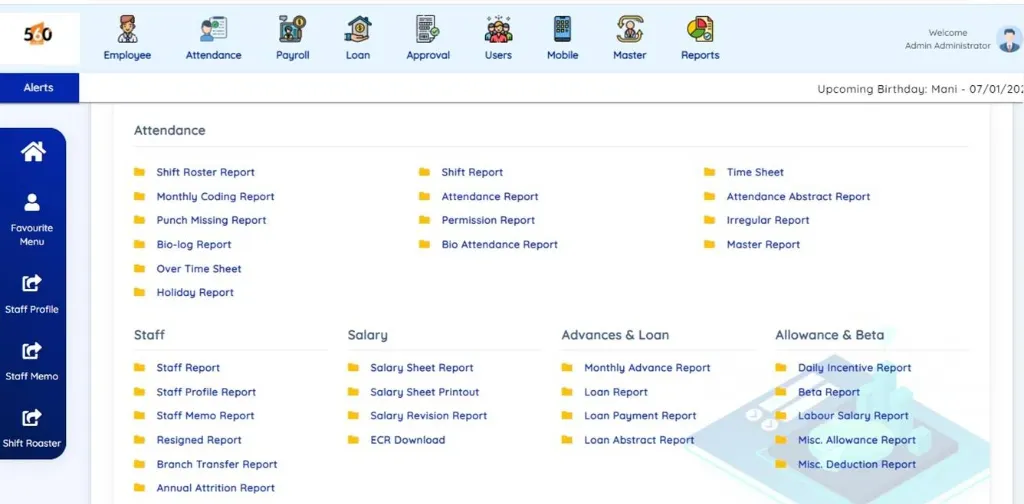
HRMS salary, loan and attendance reporting screen

Business Owner

  • Review workforce and attendance summaries
  • Monitor payroll costs across your organisation
  • Use employee and salary reports to support decisions

With 560 HRMS

Get a clearer view of your people and payroll to plan with confidence.
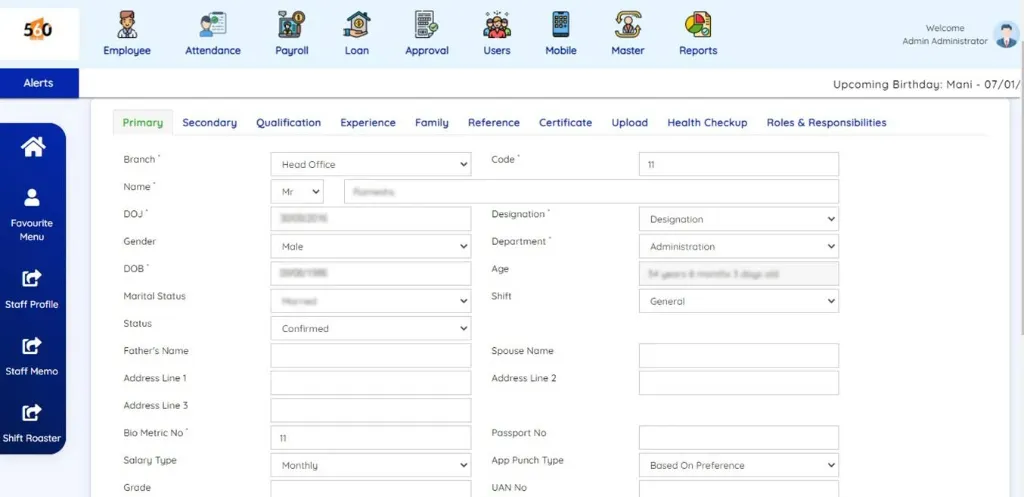
HRMS employee information and staff profile screen
CONNECTED HRMS ECOSYSTEM

Unified at the Center, Connected Everywhere

Click on any application card to view full-resolution preview and operational details.
560 Degree Solutions Core HR Hub
Master DB
Staff Profile & Employee Master
Staff Profile
Shift Setup
Shift Timing & Master Setup
Shift Master
Roaster
Shift Roaster & Scheduling
Shift Roaster
Analytics
Attendance, Staff & Salary Reports
HR Reports
FROM RECORDS TO A CLEARER VIEW

HR & PAYROLL REPORTS

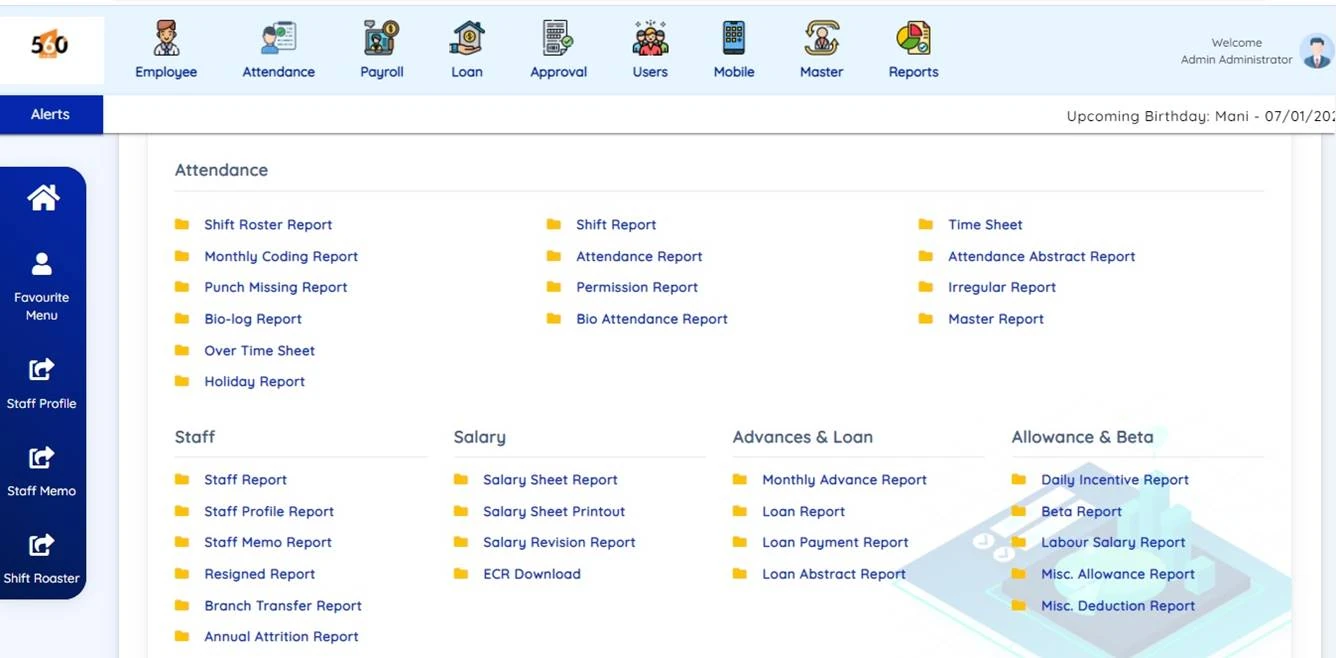
Review the information behind attendance, salaries and employee changes. Discuss the exact formats and reporting scope during your demo.

Attendance & Shift Master
Attendance and shift roster report preview
Employee information and staff profile report preview
Payroll and deductions salary report preview
HRMS & Payroll Walkthrough
Watch on YouTube
FREQUENTLY ASKED QUESTIONS
Have a different question? Talk to our team →

HRMS & Payroll FAQs

Yes, seamlessly. 560 HRMS directly pulls verified biometric punch records, mobile GPS check-ins, shift roasters, and approved leave data straight into the payroll calculation engine — eliminating manual spreadsheets and calculation errors completely.
Yes. You can configure unlimited customized shift schedules, grace periods, lunch and tea break deduction rules, rotational rosters, and multi-tier leave policies (Casual, Earned, Sick, Maternity, Compensatory Off, and LOP) with automated approval workflows.
Yes. Employees get an intuitive self-service portal to view digital payslips, check leave balances, and mark geo-fenced attendance. Administrators and managers have real-time dashboards to approve requests and track team attendance anywhere.
Yes. 560 HRMS integrates effortlessly with all standard biometric fingerprint scanners, facial recognition terminals, and RFID card readers across single or multi-branch offices via automated real-time synchronization.
Getting started is quick and hassle-free. Our deployment team assists with your company setup, historical employee data migration, policy configuration, and live hands-on staff training to have you up and running within days.
MAKE THE DEMO RELEVANT TO YOU

Your HR questions. Practical answers.

Explore how employee records, biometric attendance and salary inputs come together. Choose a topic for practical guidance and a checklist to prepare for your demo.

Try the demo

Assistant

What would you like to explore?

How do we set up employees and payroll?

Prepare for your demo

Permissions
Org context
People data
HRMS events
Documents

HRMS & Payroll walkthrough

Watch on YouTube ↗