Attendance to Payroll
Connect attendance, leave and salary calculations.
 A smarter tomorrow,
 560 Degree HRMS & PAYROLL
Make room for the human side of HR. Bring employee records, attendance and salary processing into a single, connected workflow.
For HR teams, payroll administrators and growing businesses.
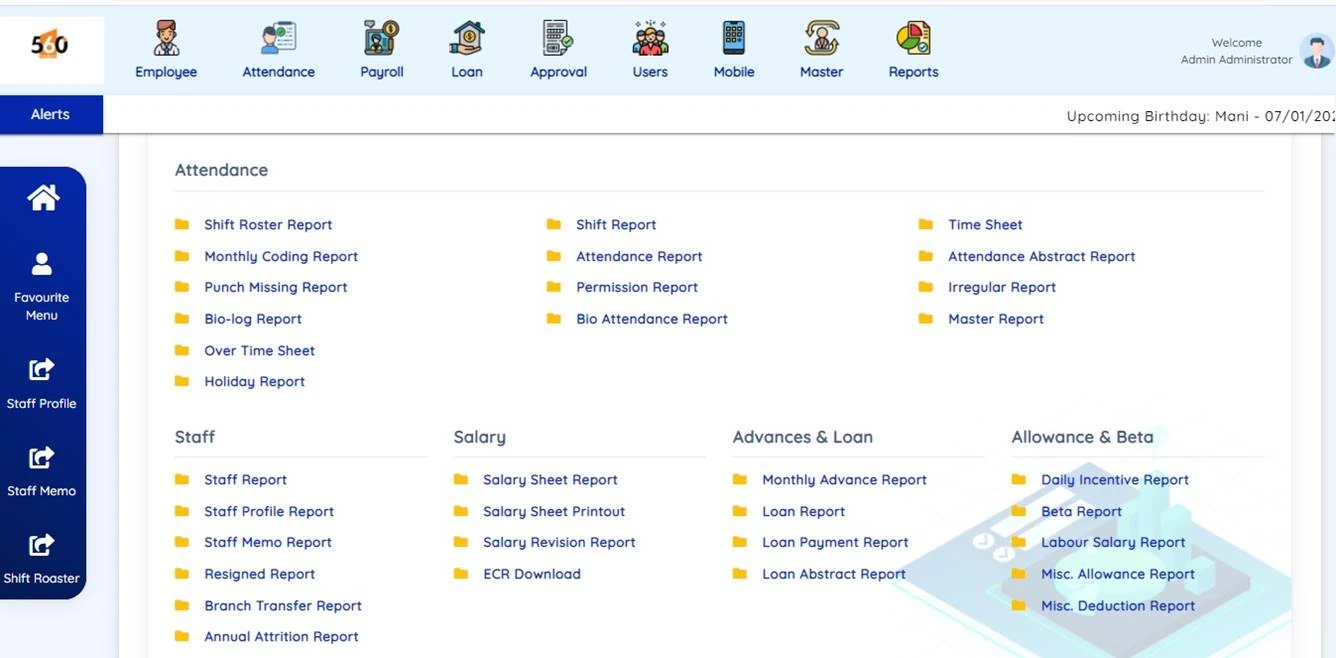
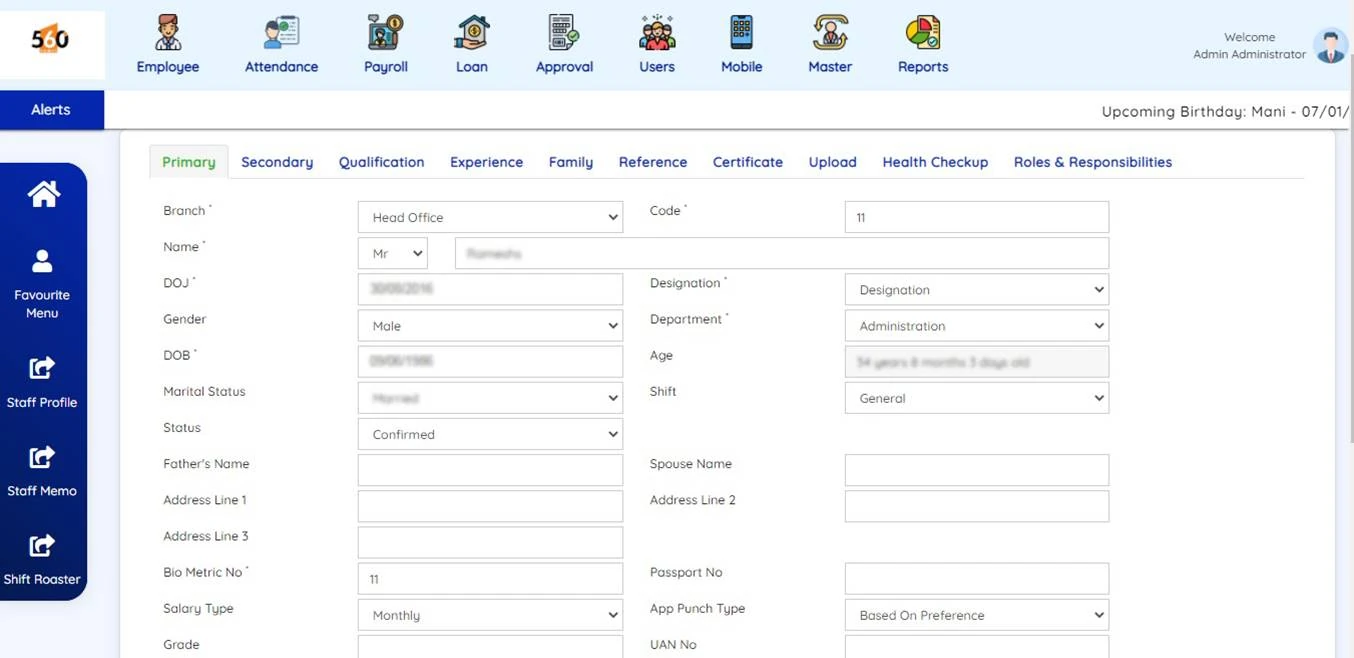
Product screenshot from our existing HRMS.
Connect attendance, leave and salary calculations.
Access HR information and submit requests.
Prepare payslips, salary reports and bank statements.
WATCH & EXPLORE
An introduction to connected workforce management.
Watch on YouTube ↗LESS REPEATED WORK. MORE CLARITY.
Six core areas that keep people information and payroll moving together.
Keep profiles, joining information, transfers and exit details organised.
Configure shifts, break times, overtime and branch holidays.
Manage leave types, permissions, balances and employee requests.
Connect attendance with earnings, deductions and salary processing.
Set repayment schedules and manage salary deductions for employee loans.
Prepare payslips, salary reports and bank transfer statements.
THE DETAILS THAT MAKE A DIFFERENCE
Explore how the core modules support the way your organisation works.
Bring time and leave information into the payroll workflow.
Configure multiple leave types and balances, with requests and status visibility for employees.
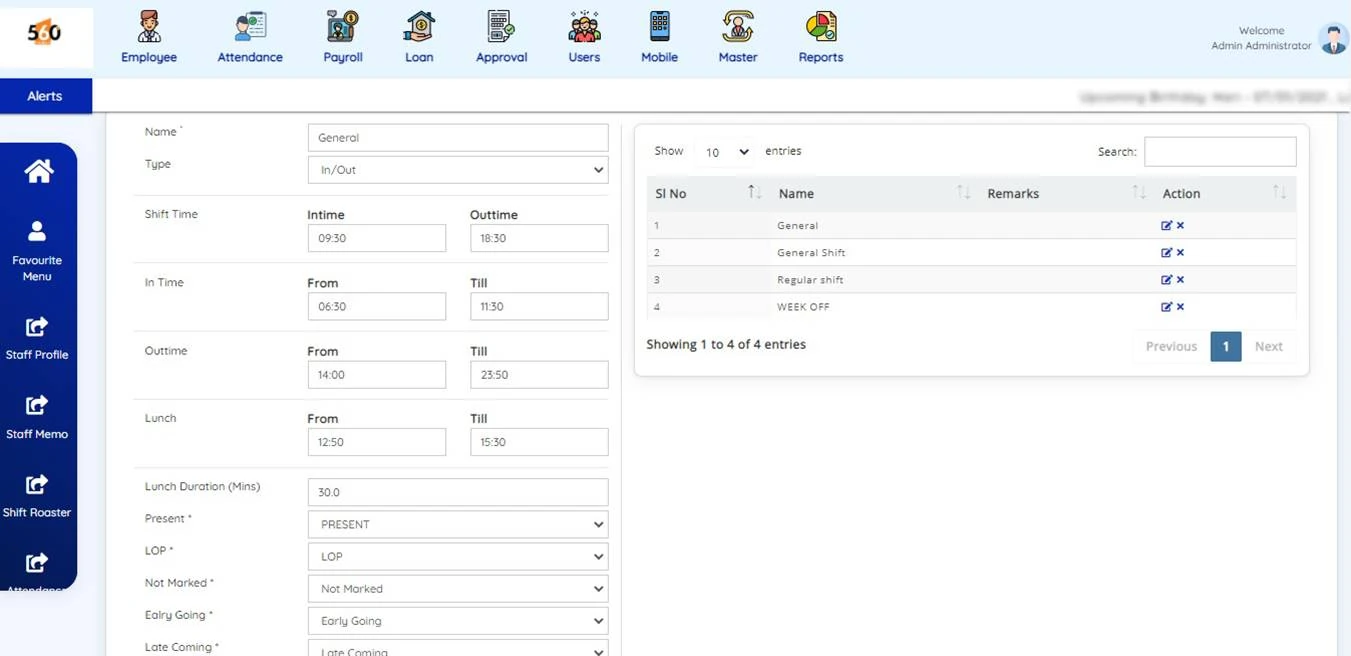
Set shift times, lunch and break periods, with holidays configured for each branch.
Use supported biometric or face devices, or discuss location-based mobile attendance for your team.
Bring attendance, permissions and overtime into salary preparation.
Configure the structure behind every payslip.
Process daily, weekly or monthly salaries with configurable salary days.
Set up salary components and deductions around your organisation’s requirements.
Manage bonus and increment calculations and related reporting.
Prepare custom payslip formats, email payslips and generate bank transfer statements.
Discuss PF, ESI, TDS and LWF configuration and the reporting required for your payroll setup.
Keep repayments connected to payroll.
Maintain more than one employee loan, with a repayment schedule for each.
Apply repayments, monthly advances and other fixed deductions through payroll.
Pause a deduction or change a schedule for a selected month when required.
Support loan requests through employee-facing workflows.
Give employees a clearer view of their information.
View and update personal details through the employee portal.
Access company policies, holiday information and announcements.
Check balances, submit leave requests and follow their status.
Access supported permission, duty plan, expense, work-done and loan request workflows.
MORE THAN A STAFF DIRECTORY
Keep employee information connected from application through onboarding, transfers and final settlement.
ONE FLOW, FROM START TO FINISH
Employee profiles and salary structures.
Shifts, leave, permissions and overtime.
Earnings, deductions and loan repayments.
Payslips, reports and bank statements.
SEE THE SOFTWARE
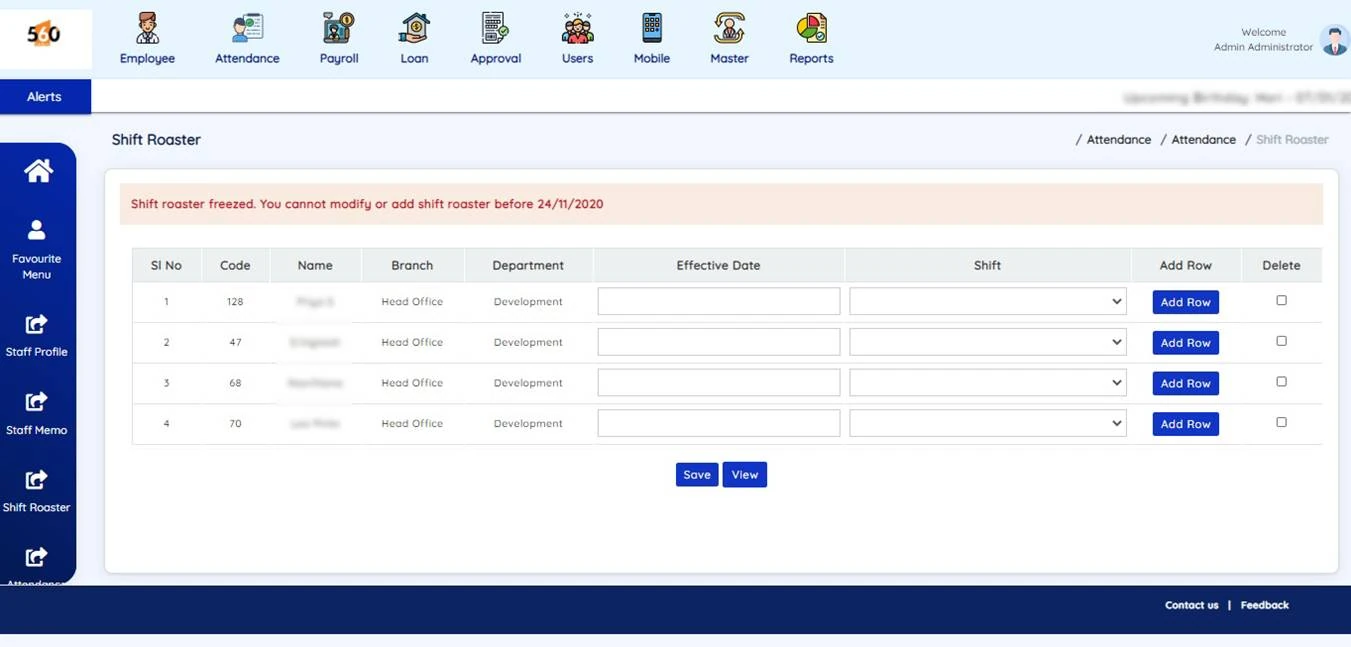
Explore real screens from our existing HRMS. Open an image to view it at full size.
HR, WITHIN REACH
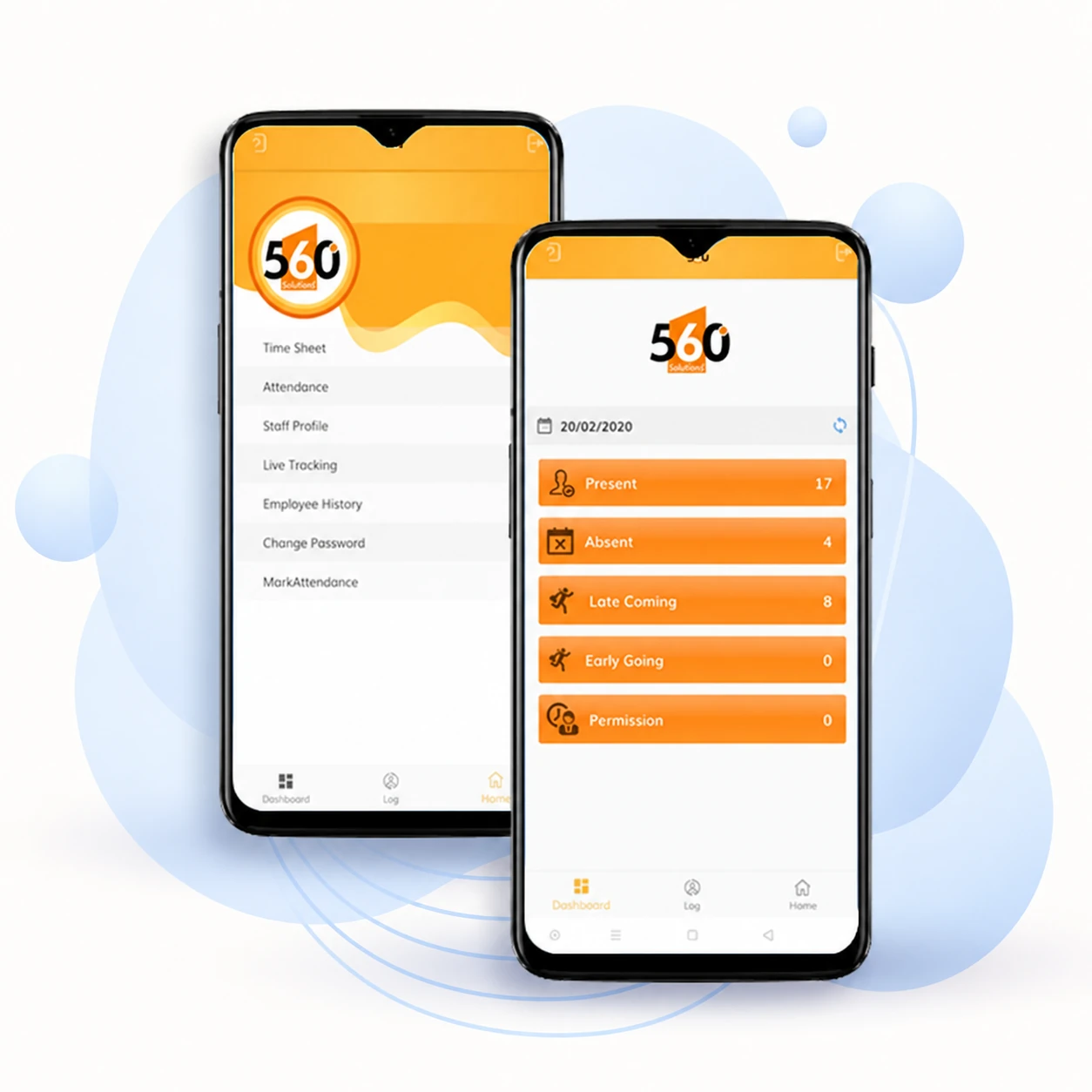
Keep teams connected through employee self-service, the admin mobile app and supported attendance integrations.
Leave requests, permissions, announcements, expenses and loan requests.
Staff profiles, timesheets, attendance, overtime, approvals and shift rosters.
Discuss supported biometric devices and mobile attendance requirements with our team.
THE RIGHT TOOLS FOR EACH ROLE
Coordinate the people and payroll process.
Keep daily decisions moving from the admin app.
Handle routine requests through the app or portal.
FROM RECORDS TO A CLEARER VIEW
Review the information behind attendance, salaries and employee changes. Discuss the exact formats and reporting scope during your demo.
Shift rosters · Timesheets · Missing punches · Overtime · Attendance summaries
Staff profiles · Branch transfers · Resignations · Staff history
Salary sheets · Salary revisions · Payslips · Loan and advance reports
MAKE THE DEMO RELEVANT TO YOU
A few details help us focus the conversation on your team.
Looking for appraisals, employee surveys, project timesheets or additional tax-report formats? Ask us to confirm availability and scope for your setup.
PRODUCT PROMO
Explore our workforce management and payroll overview on YouTube.
▶ Watch HRMS overview on YouTube ↗Yes. HRMS can use attendance data to calculate salaries, along with the earnings, deductions and loan repayments you set up.
Yes. You can set up shifts, break times, leave types and branch holidays. Share your company policies during the demo so we can explain how to configure them.
Yes. Employees can use self-service features for leave, permissions and other requests. Administrators can access staff details, attendance and approvals through the admin app. Our team can show you the available features during a demo.
Supported biometric devices can be connected to HRMS. Send us your device brand and model so we can confirm compatibility and explain the setup.
Contact our team by WhatsApp, email or phone to arrange a demo. Tell us your employee count and payroll needs so we can show you the relevant features. You can also try the Request a Demo form; it is currently a preview and does not send an enquiry.
LET’S MAKE HR WORK BETTER
See how 560 Degree HRMS fits the way your team works.